
The Copilot Canvas Just Became an App Platform

By Matt Fishman, Founder and CEO at Privion
Yesterday, Microsoft opened the public preview of SharePoint Copilot Apps, a new SharePoint Framework (SPFx) capability that lets developers put fully interactive applications directly on the Microsoft 365 Copilot canvas. Not a text answer. Not a link to a dashboard somewhere else. An actual application, rendered inside the conversation.
If you build on SharePoint, this is worth paying attention to: Copilot stops being only an answer engine and becomes a place to host real UI, with the same packaging and governance you already use for SPFx. We validated that on day one with a production workload (more below), but the more interesting question is what your team would put on the canvas.
What SharePoint Copilot Apps actually are
Strip away the branding and the model is elegant: Copilot handles the language, your app handles the experience.
A SharePoint Copilot App is an SPFx solution that declares one or more tools, built on the same Model Context Protocol (MCP) concept the broader AI ecosystem has standardized on. Each tool is three things: a name, a natural-language description, and a typed schema for its arguments. When a user asks Copilot something that matches a tool's description, Copilot calls it. Instead of returning text, the tool renders your React component on the Copilot canvas.
The capabilities that make this a real application platform rather than a demo trick:
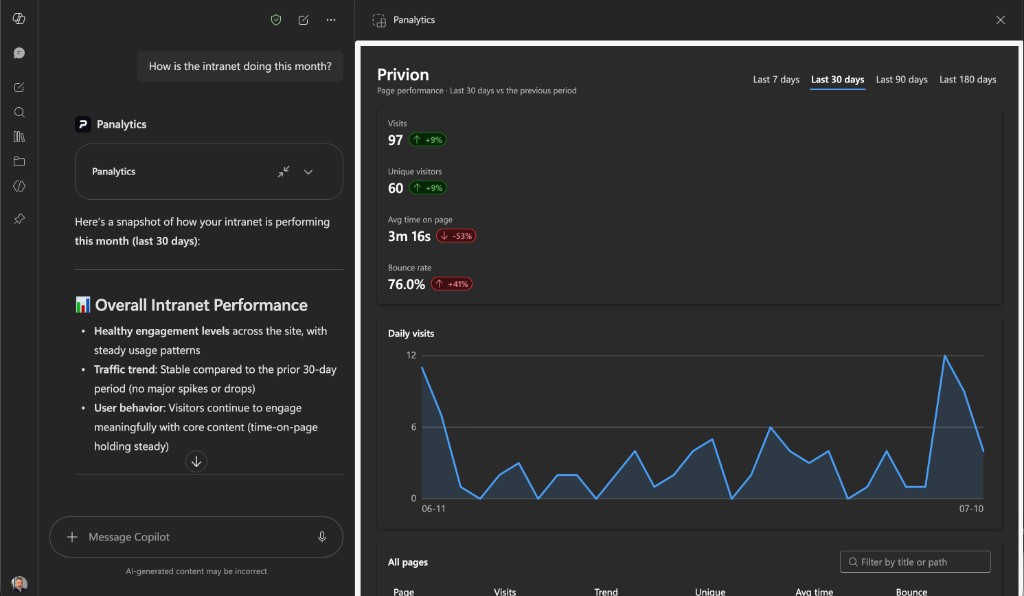
- Two display modes. Components render inline in the chat (a compact card that's part of the conversation) and can expand to full-screen (a complete workspace with its own navigation, filters, and interactions). The host tells you which mode you're in; you design for both.
- Natural-language routing with zero NLU code. You describe your tools well, and Copilot maps user intent onto them, including extracting arguments. In our testing it reliably turned phrases like “last month” into the right enum value in a typed schema. You write descriptions, not parsers.
- Native look and feel. Components are built with Fluent UI and follow the user's Microsoft 365 theme automatically. A well-built Copilot App is indistinguishable from something Microsoft shipped.
- The user's own identity. Components run client-side in the user's security context, with the SPFx plumbing you already know for calling SharePoint, Microsoft Graph, or any API. No new auth model to design.
- Enterprise deployment you already trust. The whole thing packages as a standard
.sppkg, deploys through the tenant App Catalog, and surfaces in Copilot as a declarative agent with your branding. No new hosting, no separate service, full admin control.
If you've ever built an SPFx web part, you already know 80% of this platform. That's the genius of it: Microsoft attached the Copilot opportunity to a decade-old, battle-tested development and governance model instead of inventing a new one.
Concretely, here is the entire natural-language interface for one of our tools: a Zod schema whose .describe() strings are the only “NLU” we wrote:
const propertiesSchema = z.object({
  pageUrl: z.string().optional()
    .describe('Page path, full URL, or words from the page title. ' +
              'Omit to report on the whole site.'),
  dateRange: z.enum(['last7', 'last30', 'last90', 'last180']).optional()
    .describe('"this week" -> last7; "last month" -> last30 (default); ' +
              '"this quarter" -> last90.')
});

export default zodToJsonSchema(propertiesSchema);
That's it. Copilot reads those descriptions and fills the arguments from whatever phrasing the user chooses.
Our day-one test drive: PAnalytics for Microsoft 365
To see if the preview holds up under a real workload, we built the first use case that came to mind. Candidly, it was the one closest to home: PAnalytics for Microsoft 365, our web analytics platform surfaced inside Copilot, where questions like “how did my announcement do?” are already being asked. We shipped two tools (page performance and content health: declining pages, top search terms, searches that find nothing). By the end of day one it was deployed to our production tenant, answering with live data.
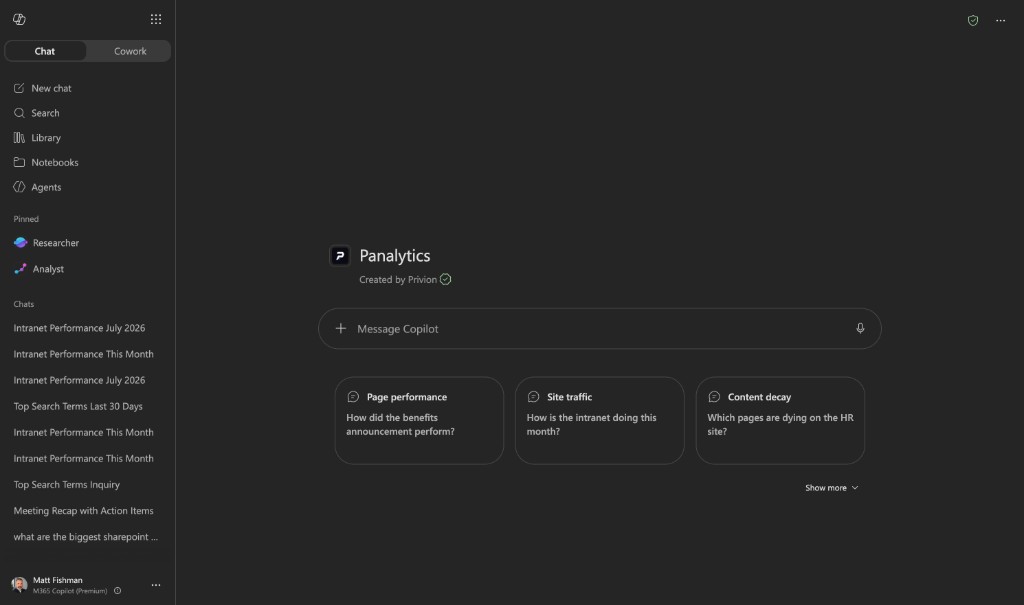
Ask a question in plain language, and the response is a live KPI card, not a paragraph of numbers:
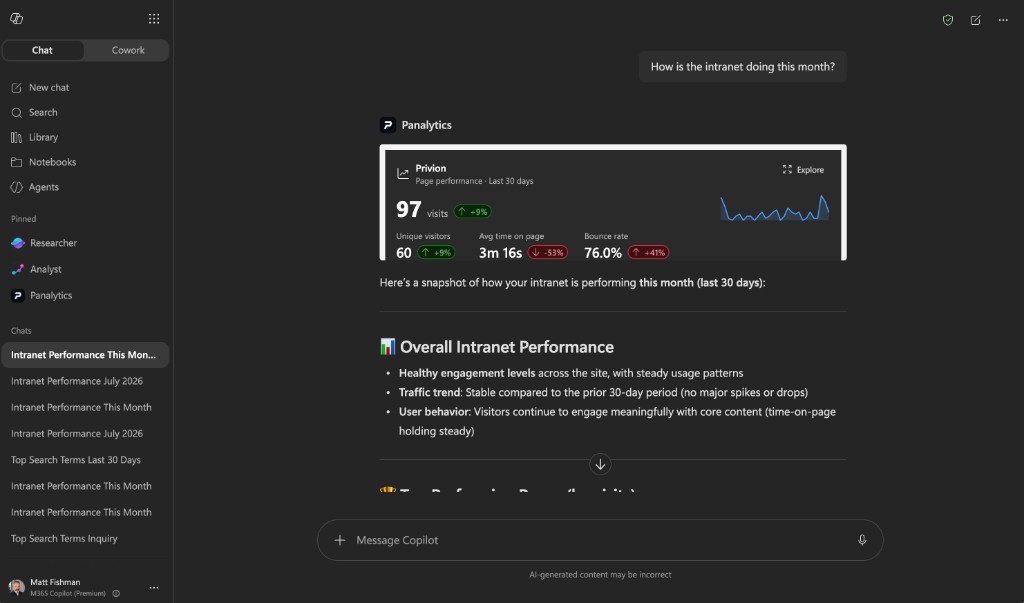
And one click expands it into a full working surface:
From yo @microsoft/sharepoint to a working app in the Copilot canvas took hours, not days. The new Heft-based toolchain builds our whole solution in about six seconds. The PnP samples repository that shipped alongside the preview is excellent, including an architectural playbook we leaned on heavily. For a day-one preview, that's a remarkably complete on-ramp.
The architectural insight worth stealing
Here's the detail I keep coming back to, and it's a privacy story as much as a technical one.
When Copilot invokes a tool, it passes arguments (a date range, an identifier, a search phrase). Your component then fetches its data client-side, in the user's own security context, and renders it. The language model never receives the data. Whatever your app displays (financials, HR records, analytics) doesn't transit the LLM at all.
That's an easy conversation with your security team, and it suggests a design principle for this platform: the model does the routing, the component does the talking. Write your agent instructions to lean into that separation and you get grounded, trustworthy experiences. The numbers on screen came from your API in the user's own session, full stop.
What would you build?
Analytics was simply the first idea we reached for. The more interesting exercise is looking at every system your organization runs and asking: what questions do people already ask Copilot that this system could answer with an interactive component? A few that come to mind:
- HR self-service. “How many vacation days do I have left?” → a balances card that expands into a booking form with a live calendar conflict check. (Microsoft's own preview samples include exactly this scenario.)
- IT service desk. “What's the status of my ticket?” → a live ticket card with the ability to add a comment or approve a change, inline.
- Approvals everywhere. Expenses, purchase orders, document sign-offs: “what's waiting on me?” becomes an actionable inbox on the canvas instead of five emails and three portals.
- Field and retail operations. “How is the Portland store doing this week?” → a store dashboard; “do we have the 40mm valve in stock?” → live inventory with reorder actions.
- Project and portfolio status. “Where are we on the Fabrikam rollout?” → milestones, risks, and burn-down pulled live from your PM system, with drill-down.
- Facilities. “Book me a desk near the design team on Thursday” → an interactive floor map, not a wall of text.
- Sales preparation. “Brief me on Contoso before my 2pm” → a CRM account card: open opportunities, recent tickets, last touchpoints.
The pattern is always the same: any system with an API, serving users who already live in Microsoft 365, can now meet those users at the exact moment of intent, with a real interface instead of prose.
Preview realities and the trajectory
It is a preview, and it shows in places: components currently render only in the Copilot canvas, tool names must be unique per tenant, store distribution isn't supported yet, and the per-invocation confirmation prompts are more frequent than the final experience will presumably allow. None of that changes the direction.
The direction is the point: Microsoft is turning Copilot from an answer engine into an application platform, and it chose SharePoint (where enterprise content and governance already live) as the delivery vehicle. The distance between “an employee wonders something” and “an employee sees the answer, in context, with the ability to act on it” has never been shorter.
We learned a lot in one day of building. If you're exploring what SharePoint Copilot Apps could mean for your organization, or you want to see PAnalytics for Microsoft 365 live in a tenant, I'd genuinely enjoy the conversation.
Matt Fishman is Founder and CEO at Privion. Our day-one build, PAnalytics for Microsoft 365 (intranet page performance, content health, and search-gap analytics inside Microsoft 365 Copilot), is live at priviontech.com/panalytics-m365.